Every year, WWDC sets the roadmap for how Apple devices will behave in your organisation for the next 12 months. This year’s announcements are among the most consequential we’ve seen for schools and businesses running Apple fleets. New AI capabilities, deeper MDM controls, stronger security, and major quality-of-life improvements for end users are all coming in the same release cycle. Here’s what matters, and why.
The single most valuable thing you can do today is get into the betas and submit feedback. Apple is most responsive to issues flagged in the early betas, so waiting until August means missing your window. Make sure your software vendors are testing too. Access is available via beta.apple.com with your Managed Apple Account, and Apple has made it easier than ever to extend access to your users and organisation.
A faster, more responsive experience for everyone
For staff and students who use Apple devices every day, the 27 releases deliver real, noticeable improvements. System responsiveness gets a significant boost across iPhone, iPad, and Mac. Swiping between apps, navigating Mission Control, and general device fluency all improve. Search has been rebuilt from the ground up, and Mail gets a smarter ranking system that surfaces what actually matters, reducing noise for busy teams.
iPhone also gains a CPU scheduler utility supported all the way back to iPhone 11. For organisations not yet due for a hardware refresh, that’s meaningful performance headroom from a software update alone.
macOS 27 is named Golden Gate, and it brings the new Liquid Glass UI design language with greater options for personalisation. This year Apple also introduced three overarching themes across all platforms: Platform Improvements, Trust and Safety, and Apple Intelligence and Siri.
Protecting students: the biggest child safety update in years
For schools, the Trust and Safety theme delivers one of the most significant parental and institutional control updates Apple has ever shipped. Admins and parents can now create dedicated Child Accounts, or convert existing Apple Accounts, to unlock a comprehensive set of protections: age-appropriate app access, Ask to Buy permissions for app downloads, Ask to Browse controls for web access, parent-managed communications, and granular screen time settings informed by independent research.
For education environments where duty of care is non-negotiable, these tools give families and schools far more meaningful control than was previously possible.
Apple Intelligence: productivity gains that matter in the real world
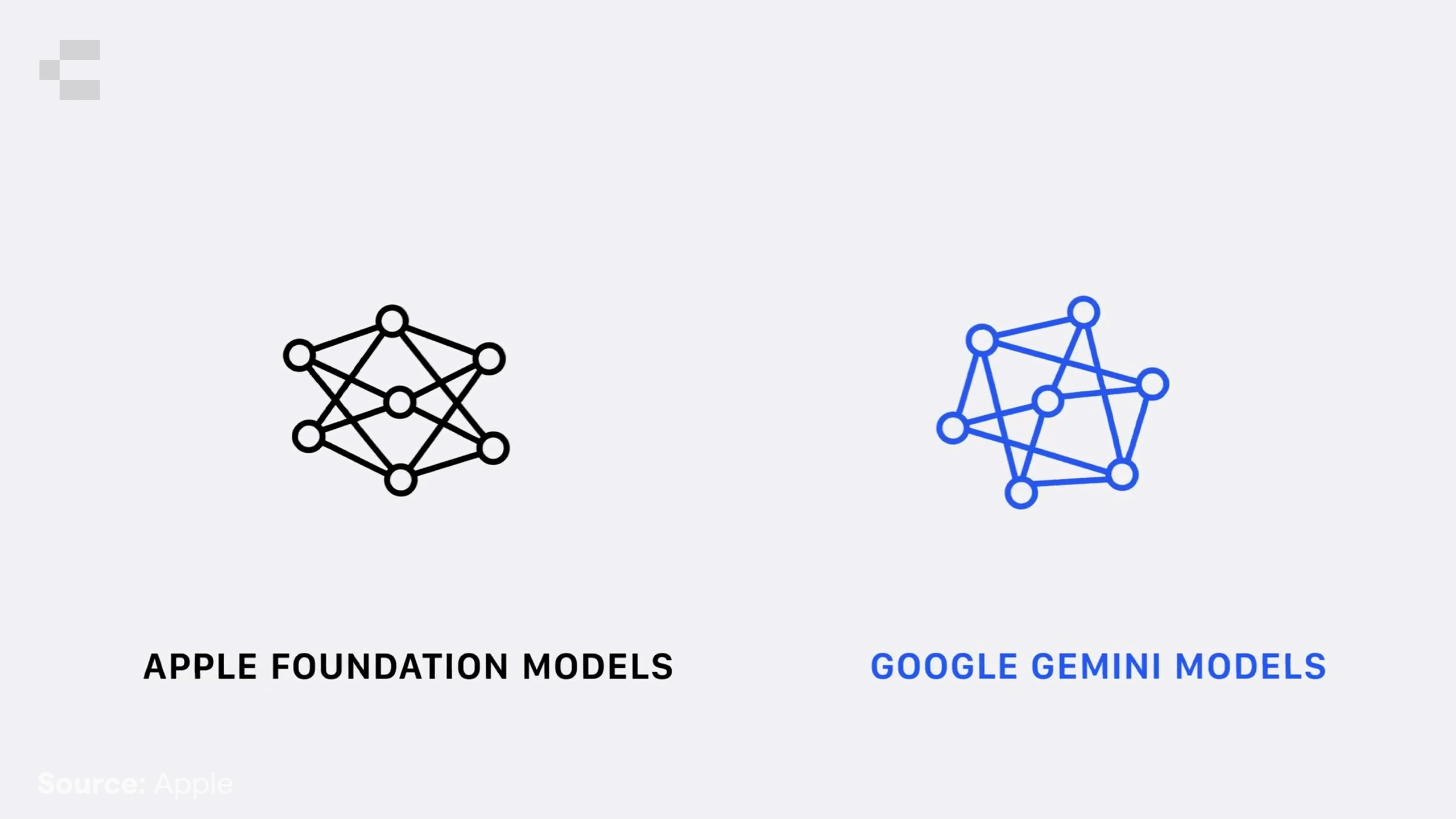
The headline feature of the 27 releases is the next generation of Apple Intelligence, now combining Apple Foundation Models with Google’s Gemini Foundation Models. Processing runs across a mix of on-device and Private Cloud Compute, with Apple’s privacy-first approach maintained throughout.
For business users, the practical gains are significant. Siri has been completely rebuilt as Siri AI, with a dedicated app, conversation history synced securely via iCloud, and new Write with Siri and dictation tools. Staff who dictate notes, draft emails, or use accessibility features will notice an immediate difference.
Enhanced visual intelligence means Siri can understand what’s on screen, process screenshots, and suggest actions based on content, reducing the friction of switching between apps or hunting for information. For Apple Vision Pro users, this extends to the physical environment around them.
Key app updates with real workplace relevance include Safari gaining automatic tab grouping and custom extension creation via natural language, the Passwords app gaining one-tap Siri-powered updating and agentic login flows, Messages and Mail receiving smarter suggested responses, and Shortcuts gaining natural language creation so staff who’ve never built an automation can now do so with a plain English description.
For organisations using Photos or creative tools, new Cleanup, Extend, and Spatial Reframing features in Photos significantly raise the quality ceiling for in-house content production.
More control for admins: the MDM and Jamf updates
This is where the announcements get particularly relevant for IT teams managing Apple with Jamf.
App subscription purchasing and management is coming to Apple Business Manager and Apple School Manager. Schools and businesses will gain significantly more flexibility in how they procure and manage app subscriptions at scale, something that has long been a friction point.
Managed Migration for macOS gives admins direct control over what transfers when a user moves from an old Mac to a new one: which accounts, files, and security and privacy settings carry over, while device management enrolment is preserved. For IT teams handling fleet upgrades, this removes a meaningful source of support overhead.
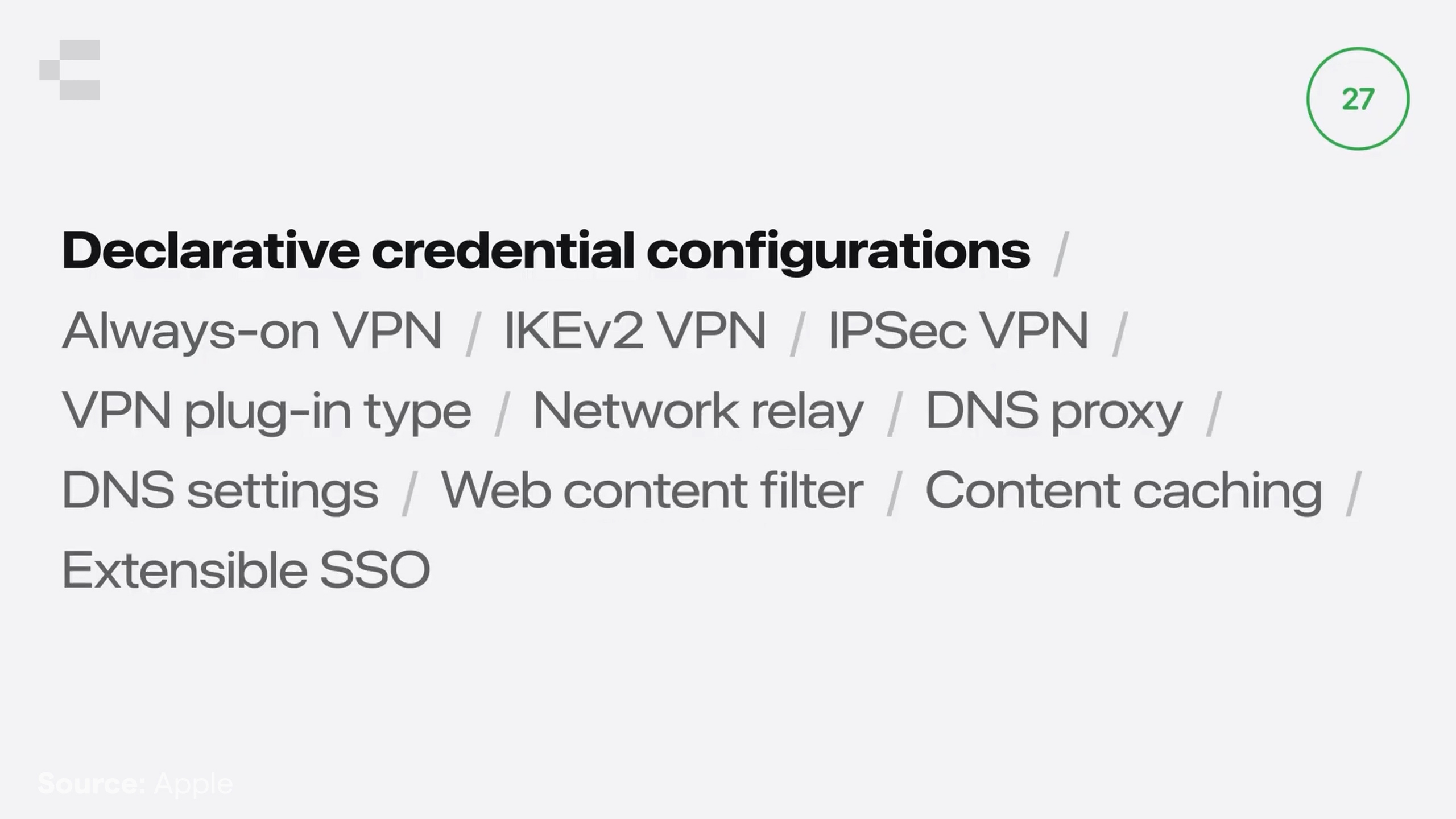
Declarative configurations for Apple Intelligence and Siri, introduced in 26.4, have been expanded to cover the full breadth of new AI features. Credentials now use a many-to-many data model, with new types supporting VPN and Network Relay authentication, DNS proxies, web content filtering, content caching, and extensible SSO.
New declarative status items mean admins can subscribe for real-time reporting on enrolment type, device configuration state, Return to Service status, Shared iPad, push token, Lockdown Mode, and device hardware and system health, including camera, Face ID, and Touch ID. This is the foundation for a new generation of fleet health monitoring tools.
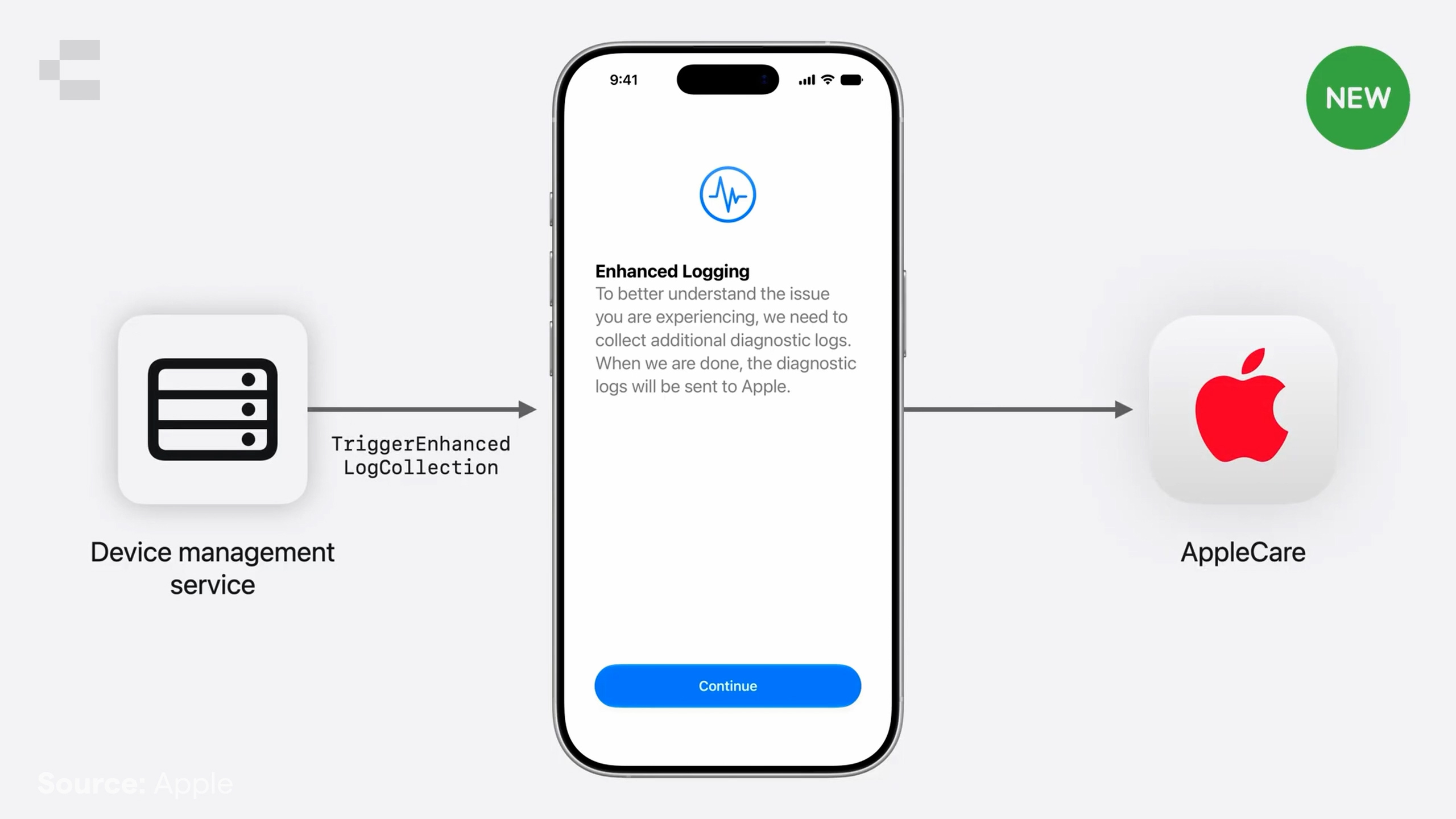
The new TriggerEnhancedLogCollection command helps AppleCare gather deeper diagnostics when needed, while content caching servers can now be managed and reported on through declarative configurations, opening the door for much richer admin visibility tools.
macOS 27 brings declarative app configurations to the Mac, a capability that first appeared on mobile last year. Mac apps can now be securely provisioned with configs and credentials using the ManagedApp framework. If you have internal apps or key vendor tools in your fleet, now is the time to have that conversation with your dev team or software provider.
Security that works harder and asks less of users
Two security updates stand out for their practical impact in business and education environments.
New enhanced consent prompts across iOS, iPadOS, and macOS 27 consolidate multiple permission requests into a single prompt, showing your organisation’s name alongside a justification you configure yourself. The Allow button is the clear default. If a user defers, they’ll be prompted again in context rather than having to dig into app settings, which means far better compliance rates without admin intervention.
macOS 27 also uses the Endpoint Security framework to control binary execution based on code signing properties, with managed apps covered automatically. Platform SSO gets a new login and unlock experience, with support for requiring Touch ID or Apple Watch unlock, one-time codes, conditional access notifications, and QR code scanning via the Mac camera, with only the QR code data passed to the authentication web view. More security, less user friction.
Authenticated Guest Mode, introduced last year, now supports automatic FileVault unlocking, preserving full disk encryption without additional admin effort. It’s also coming to Shared iPad, allowing users to sign in with their Managed Apple Account for a temporary session with all data removed on sign-out, and no quota configuration required. For schools managing shared device pools, this significantly expands how Shared iPad can be deployed.
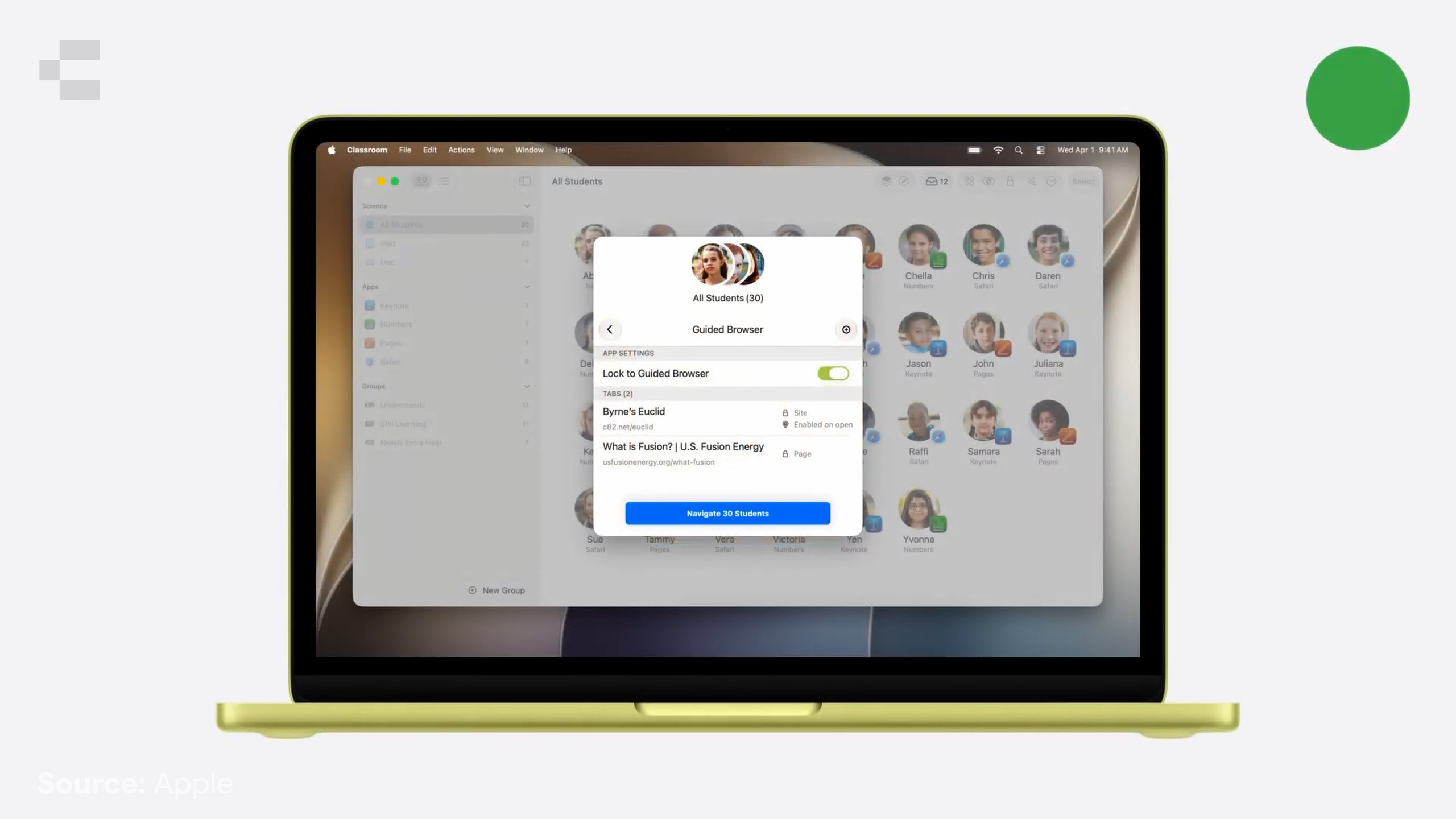
The Classroom app gains Guided Browsing, letting teachers lock one or more students to specific Safari tabs with controls over navigation and access to camera and microphone. A focused, manageable tool for keeping students on task during directed learning.
A few more things worth noting
App Attest comes to Mac apps, creating hardware-backed cryptographic keys in the Secure Enclave for secure backend validation, important for organisations with custom internal apps.
macOS 27 is the last version to support Rosetta. Settings will surface a list of Intel-based apps that won’t run on macOS 28, giving IT teams clear advance notice for remediation planning.
TLS 1.2 is now the minimum requirement for network connections, and App Transport Security requirements are in effect. If your environment has older infrastructure, now is the time to check compliance.
Legacy software update configurations are now fully deprecated. If your Jamf environment still relies on these, moving to DDM updates before the 27 release cycle is no longer optional.
Return to Service gets useful enhancements: automatic retry after failed enrolments, user-initiated Return to Service from Control Centre, admin-configurable timeouts, and the ability to apply pending software updates as part of the flow. Backup restorations no longer include device management information or managed app content, ensuring devices always receive current state from your MDM service on setup.
What this means if you’re running Jamf
Beta season is one of the clearest demonstrations of Jamf’s lead in Apple device management. Pre-release support for this week’s announcements will be available through Jamf’s own beta program shortly. Sign up via the Product Feedback section of your Jamf Account.
We’re looking forward to seeing these updates in depth at JNUC in September, and the AI Governance on Mac webinar in late June is a timely opportunity to get ahead of the AI policy questions your organisation will need to answer before the 27 releases land. Links for both are below.
As Australia’s largest Jamf partner, and an Apple Premium Business Partner, Premium Education Partner, and Premium Technical Partner, Compnow is your first point of contact for understanding how these updates apply to your specific environment.
If you have questions about anything covered here, reach out to your Compnow account manager.